 FileMagicHub Team
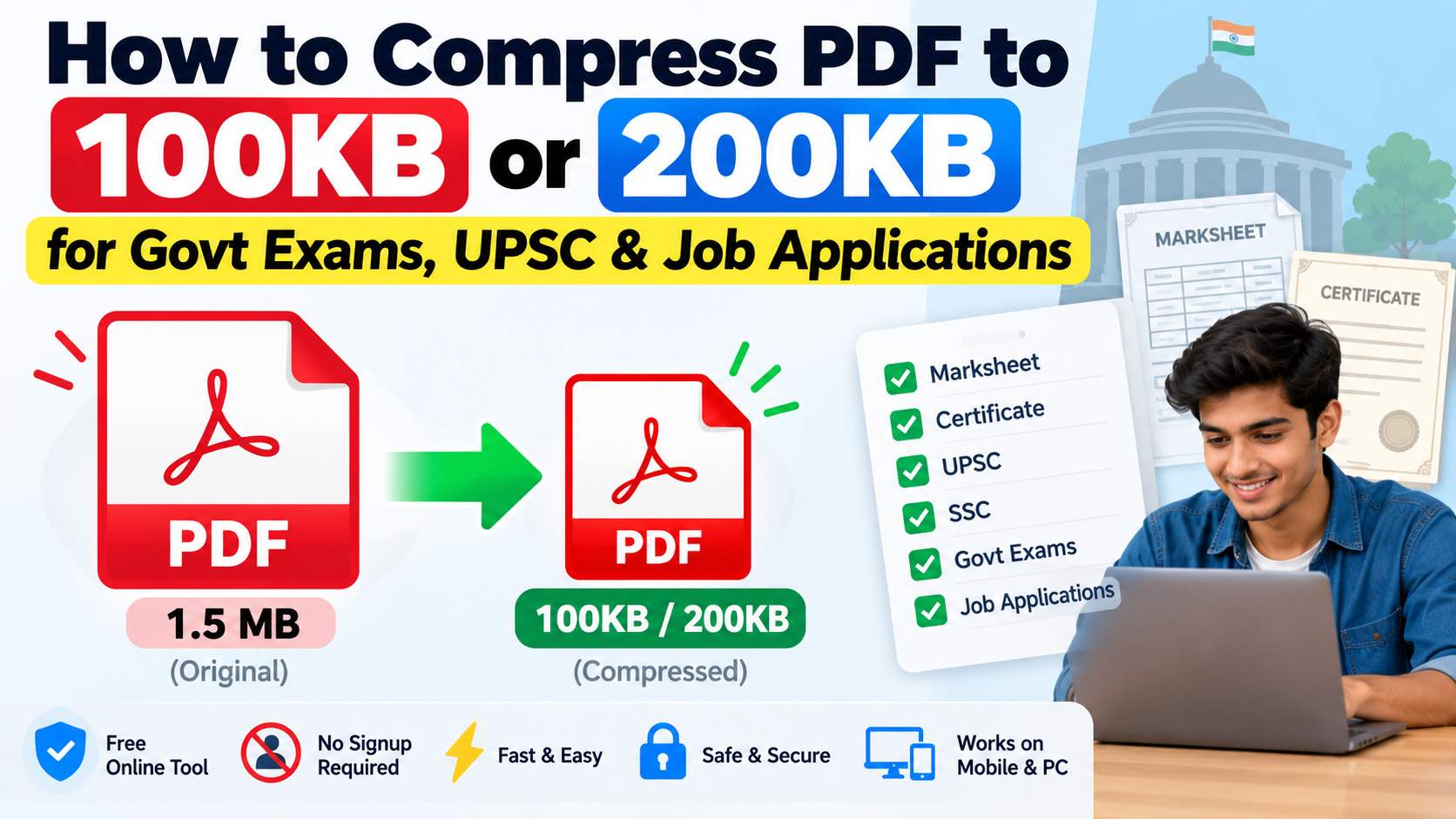
How to Compress PDF to 100KB or 200KB for Govt Exams
Compress PDF to 100KB or 200KB online for free. Reduce marksheet and certificate PDF size for UPSC, SSC, govt exams and job applications.
When filling out a government exam or job application form, you may be asked to upload a marksheet, certificate, or other document in PDF format. The problem starts when the website says the PDF must be under 100KB or 200KB, but your file is much larger.
A scanned marksheet or certificate can easily be 500KB, 1MB, or more. In that case, you need to reduce the PDF size before uploading it.
In this guide, I'll show you how to compress PDF to 100KB or 200KB online and what you should check before submitting the file.
Why Is My PDF File So Large?
Most marksheets and certificates are scanned documents. When you scan a document at high quality, each page becomes a large image inside the PDF.
For example:
A one-page marksheet may be 500KB
A scanned certificate may be 1MB or more
A multi-page document can be several MBs
If the application form has a 100KB or 200KB limit, the original PDF may not be accepted.
PDF compression helps reduce the file size so you can upload the document within the required limit.
How to Compress PDF to 100KB Online
If you need a PDF of 100KB or less, you can use an online PDF compressor.
Step 1: Open the PDF Compressor
Open the FileMagicHub PDF Compressor:
Compress PDF Online:
https://filemagichub.in/compress-file
You don't need to install any software or create an account.
Step 2: Upload Your PDF
Select the marksheet, certificate, or other PDF from your computer or phone.
If you're using a computer, you can also drag and drop the file into the upload area.
Step 3: Select Compression
Choose the compression level and start the process.
If your PDF contains scanned images, a stronger compression level may be needed to bring the file size down.
Step 4: Download and Check the File
Download the compressed PDF and check its size.
For example:
Original: 1.2MB
After compression: 180KB
If the application requires the PDF to be below 100KB and your file is still 180KB, try compressing it again with a stronger setting.
How to Compress PDF to 200KB
The same method works if your application requires a PDF under 200KB.
Suppose your original certificate is 1.5MB. After compression, it may become smaller, but the final size depends on the number of pages and the type of content inside the PDF.
If it is still above 200KB, try a stronger compression level.
One important thing: don't check only the file size. Open the compressed PDF and make sure the document is still readable.
How to Reduce Marksheet PDF Size
Marksheet PDFs are usually scanned images, so they can be larger than expected.
Before uploading a marksheet, follow these steps:
Scan or photograph the marksheet clearly.
Convert it to PDF if required.
Check the original file size.
Compress the PDF.
Check the new file size.
Open the compressed PDF.
Make sure your name, marks, roll number, signature, and stamp are readable.
Upload the file to the application form.
If you need to upload only one page, don't include unnecessary pages in the PDF.
Compress PDF for UPSC Applications
UPSC and other competitive exam applications may have specific document-size requirements.
If your marksheet or certificate is larger than the allowed limit:
Check the current application instructions.
Note the maximum PDF size.
Compress your document.
Check the final file size.
Open the PDF and check its quality.
Upload it to the application portal.
The required file size can change depending on the application, so always follow the size mentioned on the official form.
Compress PDF for SSC and Other Govt Exams
PDF compression can be useful when applying for different exams and recruitment forms, including:
SSC exams
Government recruitment
Banking exams
Railway recruitment
State government jobs
Teaching jobs
University admissions
Scholarship applications
Job applications
The file-size limit is not always the same. One form may accept a PDF up to 200KB, while another may allow 500KB or 1MB.
So, check the application instructions before compressing your document.
What If My PDF Is Still Above 100KB or 200KB?
Sometimes a PDF doesn't become small enough after the first compression.
This is common with scanned documents containing high-resolution images.
Try these options:
Compress It Again
If your PDF is still too large, try a stronger compression level.
Remove Unnecessary Pages
If you only need to upload one certificate page, remove the other pages before uploading.
You can use a PDF splitting tool if you need to extract a particular page.
Reduce the Scan Quality
If you are scanning the document yourself, avoid using unnecessarily high resolution.
A clear scan is usually enough for an online application. There is no need to create a very large file if the form has a strict size limit.
Will Compression Make My Marksheet Blurry?
It can, especially when you use very strong compression.
For example, reducing a 2MB scanned document to 50KB may reduce the image quality significantly.
That's why you should always open the compressed PDF before uploading it.
Check that:
Your name is readable
Marks are clearly visible
Roll number is readable
Certificate number is visible
Signature is visible
Stamp/seal is visible
The goal isn't just to make the PDF as small as possible. It should be small enough for the application while still being readable.
How to Compress PDF on Mobile
You can also compress a PDF using your Android phone or iPhone.
The process is simple:
Open your browser.
Go to the FileMagicHub PDF compressor.
Select your PDF.
Choose the compression level.
Compress the file.
Download the smaller PDF.
Check its size and quality.
This can be useful if you're filling out a government or job application directly from your phone.
Other FileMagicHub PDF Tools
Sometimes you may need to do more than just reduce the PDF size.
Merge PDF Files
If you have multiple PDF documents and need to combine them into one file, you can use:
Merge PDF Files:
https://filemagichub.in/merge-pdf-files-together
Reduce PDF File Size
For general PDF compression and size reduction:
Reduce PDF File Size:
https://filemagichub.in/reduce-pdf-size
PDF Checklist Before Uploading
Before submitting your document, check the following:
PDF is within the required size limit
Correct document is selected
Name and other details are readable
Marks or certificate information is visible
Signature and stamp are visible
PDF opens properly
No unnecessary pages are included
File format is correct
This small check can save you from having to upload the document again.
Frequently Asked Questions
How can I compress a PDF to 100KB?
Upload your PDF to a PDF compressor and choose an appropriate compression level. Download the compressed file and check its size. If it is still above 100KB, try stronger compression.
How can I compress a PDF to 200KB?
The process is the same. Compress the PDF, check the final size, and increase the compression level if the file is still above 200KB.
Can I compress a marksheet PDF to 100KB?
Yes, but it depends on the original PDF. A scanned marksheet with high-resolution images may need stronger compression to reach 100KB.
How do I reduce PDF size for UPSC?
First check the current UPSC application requirements for the maximum file size. Then compress your marksheet, certificate, or other required document until it meets the limit.
Can I compress a certificate PDF online?
Yes. You can upload the certificate PDF to an online PDF compressor, reduce its size, and download the smaller file.
Will PDF compression reduce quality?
Strong compression can reduce image quality. Always open the compressed PDF and check that the important text, signature, stamp, and other details are readable.
Final Words
If a government exam or job application is asking for a PDF under 100KB or 200KB, you don't need to recreate the document from scratch.
Just compress the existing PDF, check the final size, and make sure everything is still readable before uploading it.
Upload → Compress → Check Size → Check Quality → Submit
You can use the FileMagicHub PDF compressor to reduce your PDF size online without installing software.
FileMagicHub Team
Expert team at FileMagicHub, dedicated to providing the best file management tools and productivity tips. We help millions of users streamline their digital workflows.