 FileMagicHub Team
Resize Image to 50KB Online Without Losing Quality
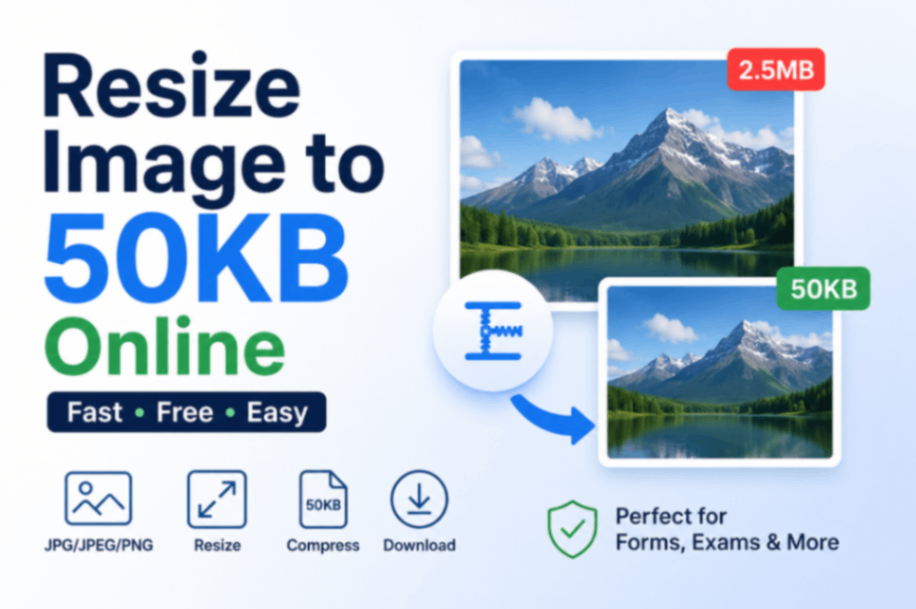
Resize image to 50KB online free without losing quality. Compress JPG, JPEG, PNG photos to exactly 50KB for passport photos, exams, government forms.
Sometimes a website, government portal, job application form, or exam registration page only accepts images below a specific file size. One of the most common requirements is 50KB. If your image is larger than the allowed limit, you may need to resize or compress it before uploading.
Our Resize Image to 50KB Online tool helps you quickly adjust image size while maintaining acceptable image quality. Whether you're uploading a passport photo, profile picture, signature, or document image, you can reduce the file size in just a few clicks.
If your image is already close to the required size, you can also use our dedicated 50KB image compressor tool:
https://filemagichub.in/compress-image-to-50kb
Why Do People Need an Image Resizer 50KB?
Many online platforms have strict upload limits. A photo that looks perfectly fine on your phone may be rejected because its file size exceeds the allowed limit.
Common situations include:
Government application forms
Passport and visa applications
SSC, UPSC, Railway, and Banking exams
College admission portals
Employee verification systems
Online job applications
In most cases, reducing the image size to exactly or below 50KB solves the upload issue instantly.
Image Resizer 50KB: How It Works
When you resize an image to 50KB, the tool optimizes the file by adjusting factors such as:
Compression level
Image quality
Metadata removal
File encoding
The goal is to reduce the storage size while keeping the image visually clear enough for uploading and verification purposes.
Modern image optimization techniques make it possible to significantly reduce file size without creating noticeable quality loss.
Photo Resizer 50KB for Online Forms
Online forms often mention requirements like:
Photo must be less than 50KB
Signature should not exceed 50KB
JPG/JPEG format only
Maximum file size 50KB
Instead of manually editing the image in complicated software, you can use an online photo resizer to meet these requirements quickly.
This is especially useful for:
Passport-size photos
Candidate photographs
Digital signatures
Identity proof images
Resize JPG to 50KB Easily
JPG is one of the most commonly accepted image formats. However, photos captured by modern smartphones often produce files that are much larger than 50KB.
To resize a JPG image:
Upload the image.
Choose the target size.
Apply compression.
Preview the result.
Download the optimized image.
The resized image can then be uploaded directly to the required portal.
How to Make Image Exactly 50KB
Sometimes a portal requires an image that is very close to 50KB instead of simply being below the limit.
To achieve this:
Start with a high-quality original image.
Adjust compression gradually.
Check the output size after each optimization.
Download the version that matches the requirement.
If your goal is specifically to reach a 50KB limit, try our dedicated tool:
Compress Image to 50KB:
https://filemagichub.in/compress-image-to-50kb
This tool is designed specifically for users who need images around the 50KB size requirement.
Benefits of Resizing Images Online
Using an online image resizer offers several advantages:
Faster Uploads
Smaller images upload more quickly, especially on slow internet connections.
Better Compatibility
Many government and educational portals reject oversized files. Optimized images reduce upload errors.
No Software Installation
Everything works directly in your browser without installing editing software.
Mobile-Friendly
You can resize images from Android, iPhone, tablets, laptops, and desktop computers.
Frequently Asked Questions
Can I resize a photo to exactly 50KB?
Yes. Most image resizing tools allow you to adjust compression settings until the image reaches approximately 50KB.
Will image quality decrease?
A small amount of quality reduction may occur, but in most cases it is not noticeable for standard uploads and document verification purposes.
Which image formats are supported?
Most tools support JPG, JPEG, PNG, and WEBP formats.
Is it safe to resize images online?
Reputable browser-based tools process files securely and do not require software installation.
Can I resize passport photos to 50KB?
Yes. Passport photos are one of the most common use cases for 50KB image resizing.
Final Thoughts
Resizing images to 50KB is often necessary when uploading photographs to government portals, educational websites, and job application systems. Instead of repeatedly getting upload errors, you can optimize your image beforehand and ensure it meets the required size limit.
For users who specifically need images around the 50KB range, try our dedicated Compress Image to 50KB tool and get your image ready for upload within seconds.
Related Tool: https://filemagichub.in/compress-image-to-50kb
FileMagicHub Team
Expert team at FileMagicHub, dedicated to providing the best file management tools and productivity tips. We help millions of users streamline their digital workflows.